

Learn to use two whatsapp accounts same device, learn from this tutorial how install 2 whatsapp accounts in dual chip or not devices…
If you have a dual chip smartphone, you wanted to use two numbers to chat on whatsapp, but this is not possible, only 1 of the chips can be used by device, learn now to use 2 whatsapp simultaneously.
The problem is that there’s no way to do two logins on whatsapp if you no install another client like whatsapp plus, just use this application below to end this problem.
Install Disa app, this application is a client of several messengers like facebook messenger, telegram, whatsapp and other applications that work as plugins.
Let´s configure the second WhatsApp account:
1. Open the Disa and go to settings:
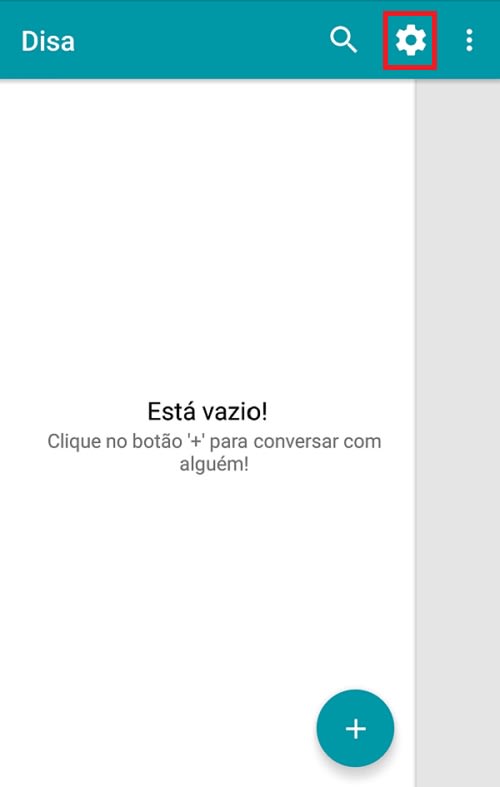
Touch settings
2- Select add service
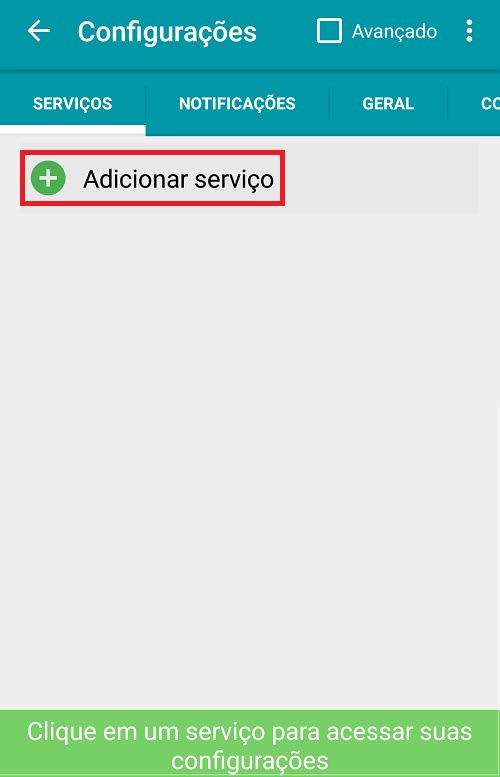
Add service
3- choose Whatsapp plugin and install it.
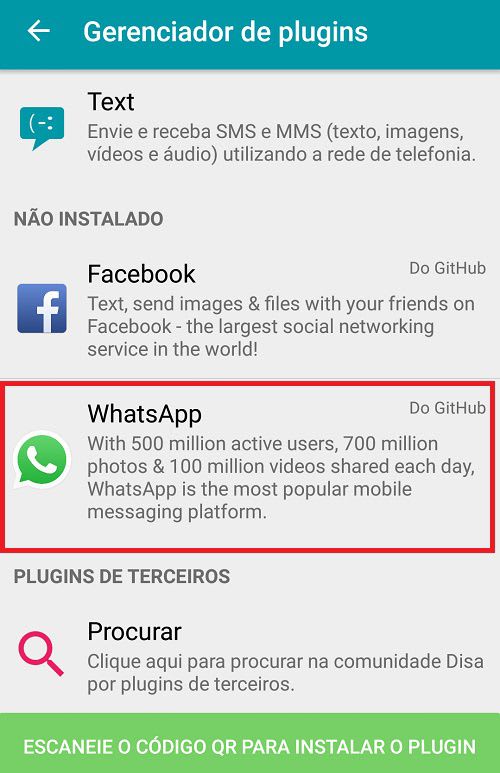
Add whatsapp service
4- After Download, touch reload.
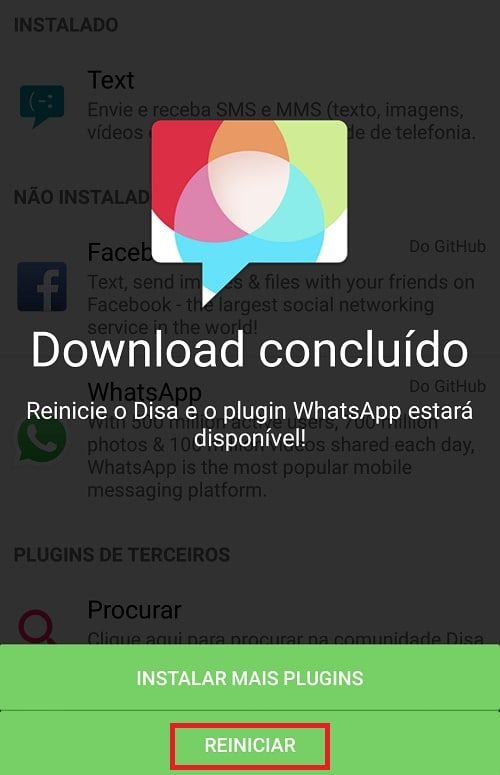
Click to reset
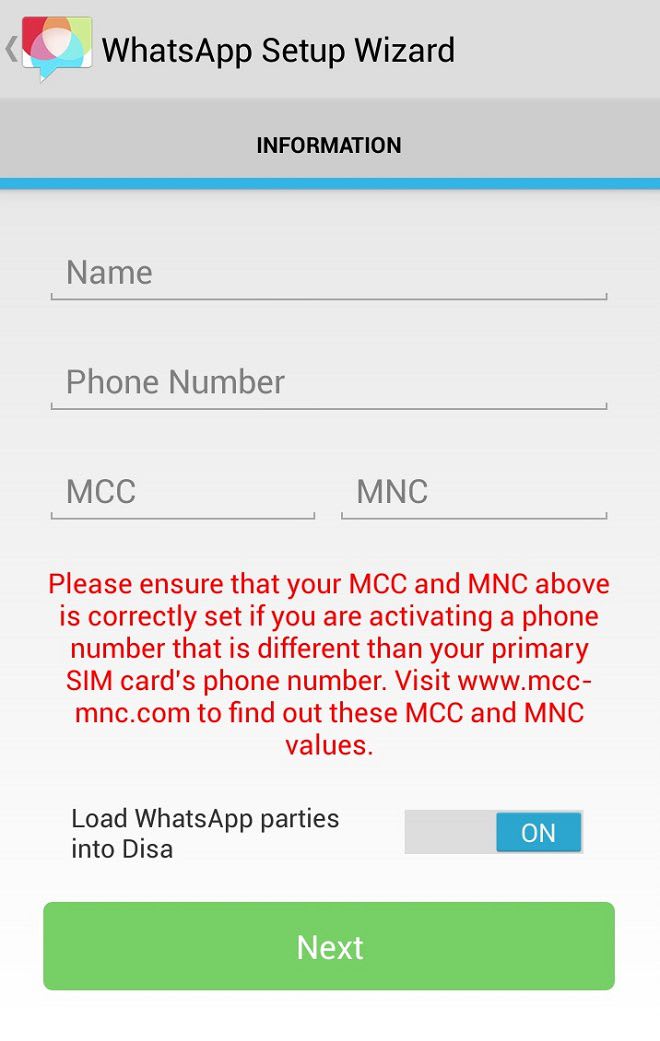
5- Now put telephone number and name, in MCC Mobile Country choose your contry code and in MNC Mobile Network put carrier code, consult mcc-mnc.com to find codes.
The Disa app has a community to be Beta tester, so the user receives beta with new features before everyone to test, I have spoken about this in supertutorial, how to be an android application tester.
In addition Disa can be a good application, it mixes all messaging applications on one screen, a good alternative to facebook messenger, since it is much lighter and can be used in conjunction with whatsapp, so it is can save battery as the messenger fb is the list of applications that consume more battery.
There are 2 other possible methods to have 2 or more accounts in whatsapp, see app multiple accounts and also multiple same app accounts, use these methods especially if you have any problems using the Disa.